


A bitmap favicon ships several fixed PNG sizes that still look blurry on high-DPI tabs, and the file set is tedious to keep in sync. This guide replaces that with a single favicon.svg that stays sharp at any density, plus two small PNGs and one favicon.ico as fallbacks — all exported from Axialis IconVectors in two passes, then wired into <head>.
When the SVG favicon is enough, and when to add .ico
- Modern browsers (Chrome 80+, Firefox, Edge, Safari 16.4+) load an SVG favicon from
<link rel="icon" type="image/svg+xml">, so it is your primary icon. - Fallbacks still matter where SVG is ignored — older browsers, RSS readers, some embeds, and OS-level shortcuts. A 16x16/32x32 PNG pair plus a combined
favicon.ico(a few KB total) covers those cases.
Step-by-step in IconVectors
- Open, draw, or import your SVG logo.
- Open: File → Open… (Ctrl+O)
- Create: New Icon (Ctrl+N); prefer a simple silhouette that reads at 16×16.
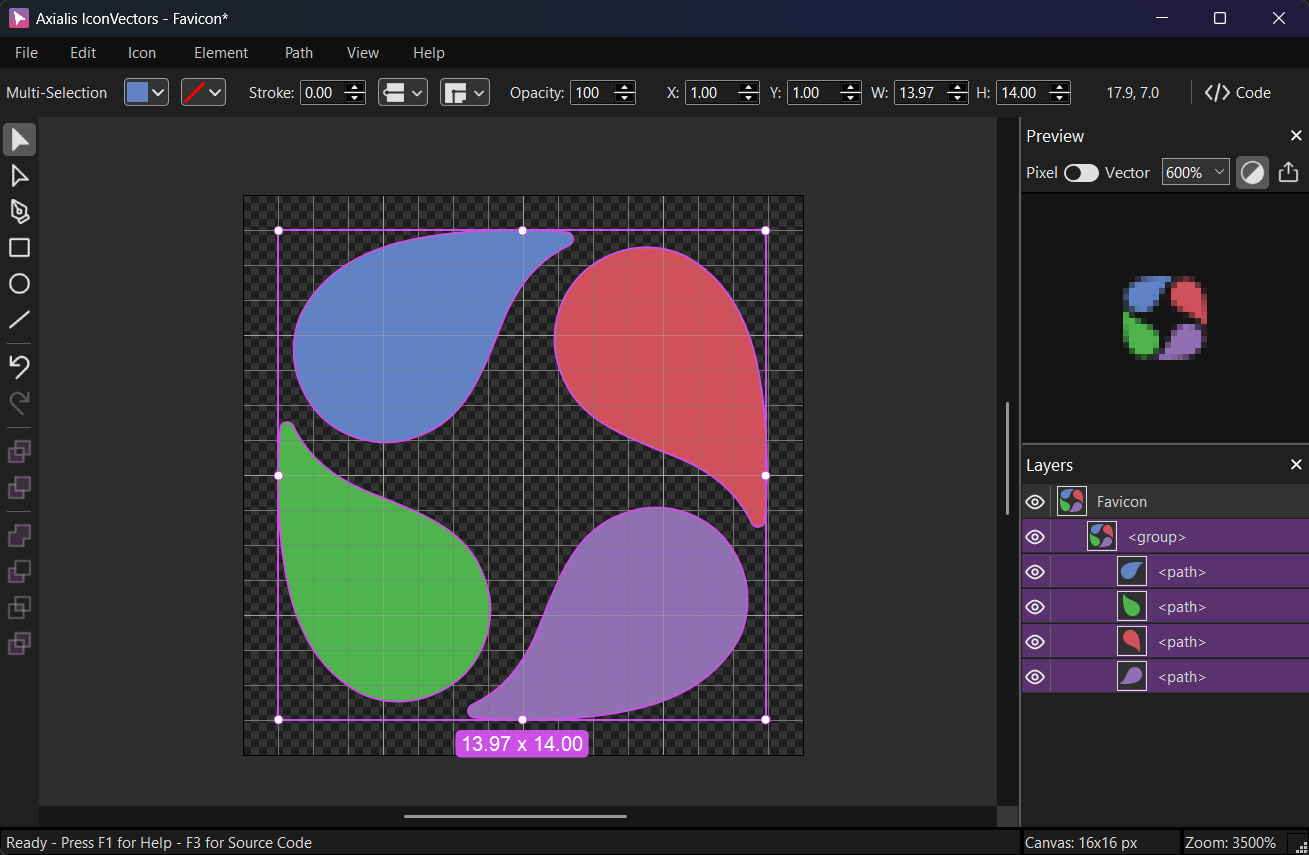
Use a square canvas with a clean viewBox(e.g.,0 0 16 16). Keep details bold for 16×16.For a themable variant, set fills/strokes to
currentColorand inline the SVG where needed. The favicon itself sits outside the document, so it does not inherit page CSS — use the dark-mode swap in step 4 to recolor it. - Export a minified SVG favicon
Choose File → Export → Export Minified (Shift+Ctrl+M) and save as
favicon.svg. This strips metadata/whitespace and preserves theviewBox.<!-- Minimal example (black fill) --> <svg viewBox="0 0 32 32" xmlns="http://www.w3.org/2000/svg"> <path d="M8 8h16v16H8z"/> </svg> - Generate PNG + ICO fallbacks in one pass
Open File → Export → Export to Multiple Bitmaps (Shift+F3):
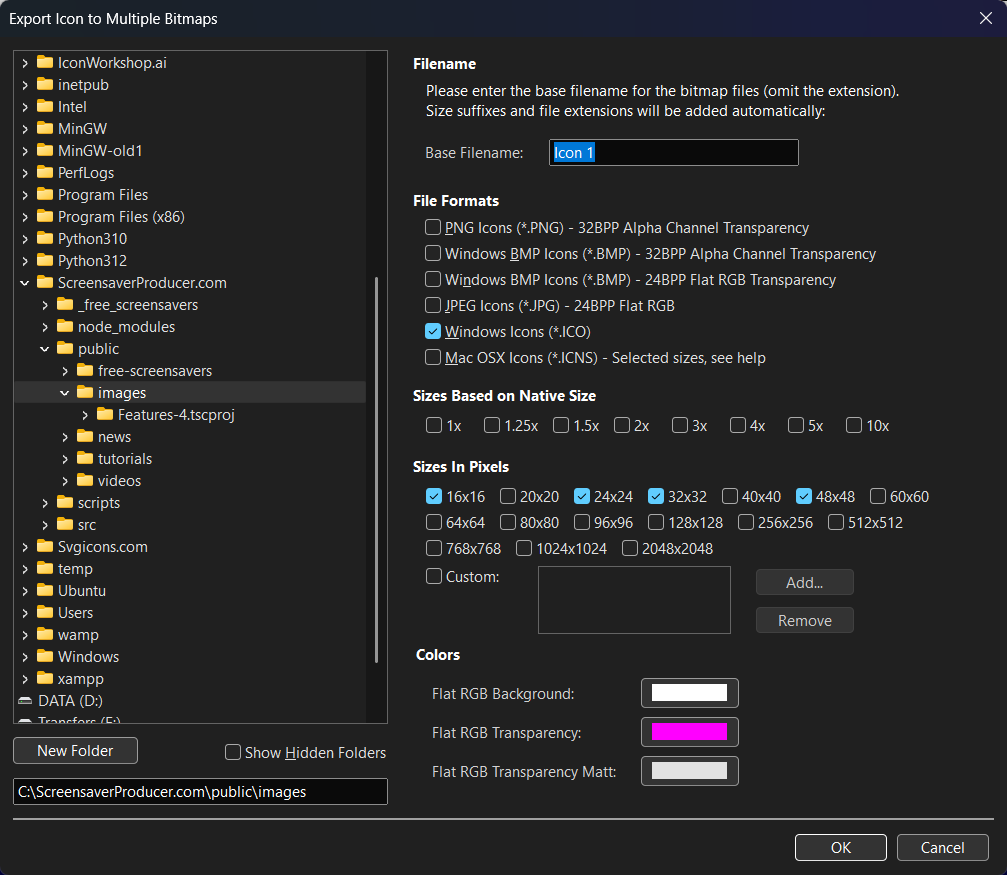
- Destination: choose your
/public/or/static/icons folder. - Base Filename:
favicon. - File Formats: check PNG Icons (*.PNG) and Windows Icons (*.ICO).
- Sizes in Pixels: tick 16 and 32 (optionally 48).
This will create
favicon-16.png,favicon-32.png, and a combinedfavicon.ico. - Destination: choose your
- Wire up modern link tags
Add these to your HTML
<head>:<!-- Primary: SVG favicon --> <link rel="icon" type="image/svg+xml" href="/favicon.svg"> <!-- Minimal PNG fallbacks --> <link rel="icon" type="image/png" sizes="32x32" href="/favicon-32.png"> <link rel="icon" type="image/png" sizes="16x16" href="/favicon-16.png"> <!-- Legacy fallback --> <link rel="shortcut icon" href="/favicon.ico" type="image/x-icon">Optional dark mode swap:
<link rel="icon" type="image/svg+xml" href="/favicon-dark.svg" media="(prefers-color-scheme: dark)"> <link rel="icon" type="image/svg+xml" href="/favicon.svg" media="(prefers-color-scheme: light)"> - Verify in the browser
- Hard-reload and check the tab and address bar. Browsers cache favicons aggressively, so if the icon does not change, clear the cache or open the page in a private window.
- In DevTools, open the Application panel and check the Manifest and Icons sections to confirm which icon the browser picked.
Notes & troubleshooting
- Jagged at 16x16? Simplify the shape so strokes land on whole pixels, then export the 16 px PNG and check the raster result before shipping.
- Color looks off in the PNGs? Do not export with a matte; keep the alpha channel intact (32-bpp PNG) so edges stay clean on any background.
- Multiple brands or locales? Swap the
hrefof the SVG<link>per route in your templates or server-side logic, rather than shipping one icon for every brand.
Related guides
Start Making SVG Icons Today with IconVectors
Download the fully-functional 30‑Day Free Trial and unlock your icon design workflow.
Version 1.70 for Windows and macOS