


Shipping dozens of standalone SVG files means dozens of requests, duplicated markup, and icons that drift out of sync. A symbol sprite solves this: one cached file holds every icon, and each <svg><use> reference pulls a symbol from it by id.
This guide takes clean per-icon SVGs exported from Axialis IconVectors and turns them into a sprite two ways — an automatic build via the vite-plugin-svg-icons plugin (Route A), or a static public/sprite.svg from the svg-sprite CLI (Route B). You then reference icons with <use> and handle caching and same-origin gotchas.
Export clean per-icon SVGs from IconVectors
- Open or create your icons:
- File -> Open... (Ctrl+O) or New Icon (Ctrl+N).
- Prefer currentColor paints and a tidy
viewBox(e.g.,0 0 24 24) so icons inherit text color and scale cleanly. - File -> Export -> Export Minified (Shift+Ctrl+M) for lean, SVGO-friendly output.
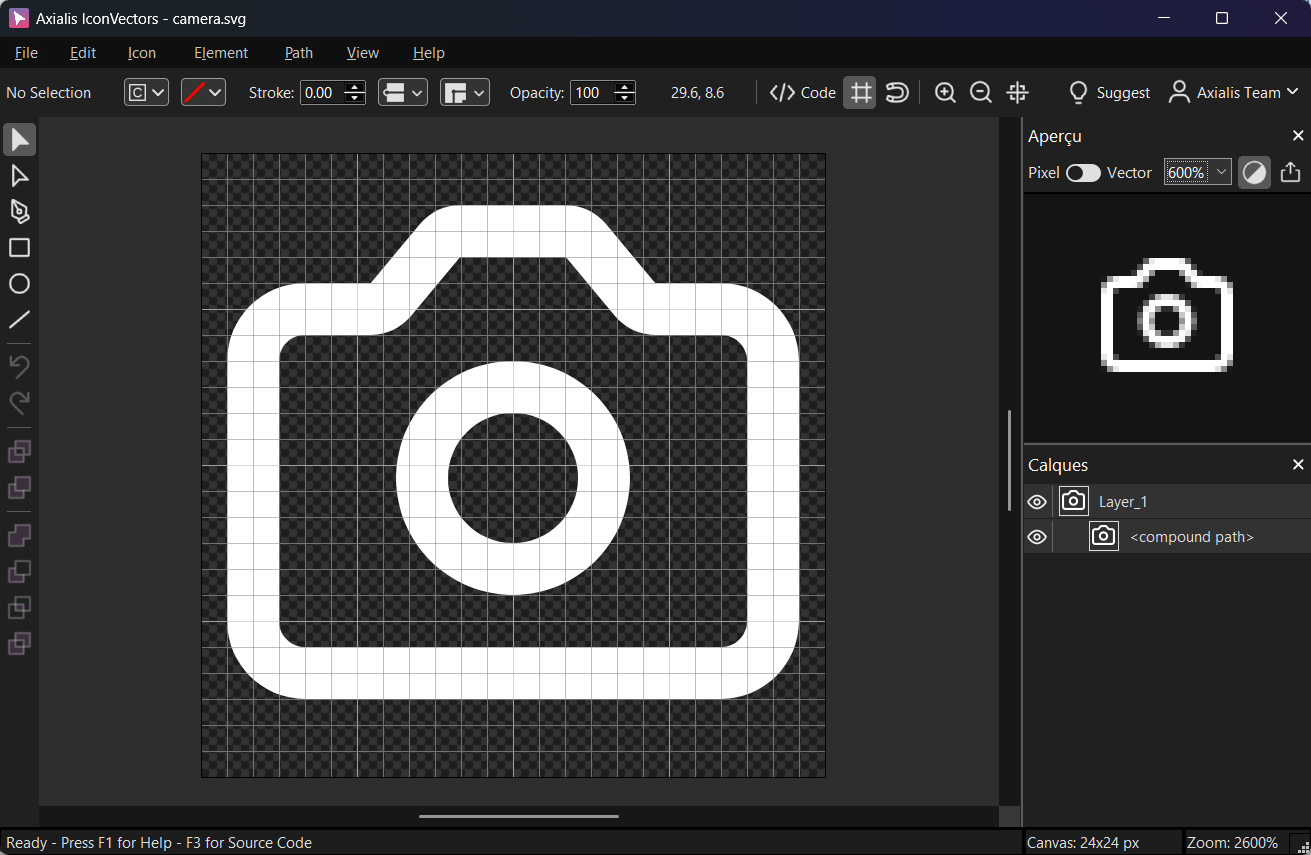
Keep one icon per file in src/icons/, named consistently (e.g.,check.svg,alert.svg) — both sprite tools derive symbol ids from these filenames.
Route A — Vite plugin (auto sprite for React/Vue)
- Install the plugin:
npm i -D vite-plugin-svg-icons
# or: pnpm add -D vite-plugin-svg-icons
# or:  yarn add -D vite-plugin-svg-icons
The plugin scans
src/icons, builds a symbol sprite, and injects it into the document at runtime — with hot-module reload as you add icons. You configure SVGO and a stablesymbolIdpattern in the next step. - Configure
vite.config.tsimport { defineConfig } from 'vite' import vue from '@vitejs/plugin-vue' // or: import react from '@vitejs/plugin-react' import { createSvgIconsPlugin } from 'vite-plugin-svg-icons' import path from 'path' export default defineConfig({ plugins: [ // vue(), or react(), createSvgIconsPlugin({ iconDirs: [path.resolve(process.cwd(), 'src/icons')], symbolId: 'icon-[dir]-[name]', svgoOptions: { plugins: [ { name: 'preset-default', params: { overrides: { removeViewBox: false } } }, 'removeDimensions', 'prefixIds' // prevent ID collisions across icons ] }, inject: 'body-last' }) ] }) - Register sprite & use icons
// main.ts or main.tsx (React/Vue entry)
import 'virtual:svg-icons-register'
// React component export function Button() { return ( <button className="inline-flex items-center gap-2 text-blue-600"> <svg className="w-5 h-5" aria-hidden="true"> <use href="#icon-check" /> {/* symbolId = icon-[dir]-[name] */} </svg> Save </button> ) }<!-- Vue SFC snippet --> <template> <button class="inline-flex items-center gap-2 text-emerald-600"> <svg class="w-5 h-5" aria-hidden="true"><use href="#icon-check" /></svg> Save </button> </template>Note: use
hrefon<use>. The olderxlink:hrefis deprecated; add it only as a fallback for legacy engines.
Route B — NPM CLI (build a static public/sprite.svg)
- Install the CLI:
npm i -D svg-spritesvg-sprite can emit several sprite modes (symbol, stack, view, css); pick symbol for the
<use>approach used here. - Add a script that builds one sprite from all icons:
{
  "scripts": {
    "build:sprite": "svg-sprite -s --symbol-dest public --symbol-sprite sprite.svg src/icons/*.svg"
  }
}
This compiles every SVG in
src/iconsinto a singlepublic/sprite.svg. Each file becomes a<symbol>whose id matches the filename. Adjust the source glob and dest paths to fit your project. - Reference icons in markup:
<!-- External sprite placed under /public --> <svg class="icon w-5 h-5" aria-hidden="true"> <use href="/sprite.svg#check" /> <!-- or: href="/sprite.svg#icons-check" if your tool prefixes --> </svg>- Caching: serve with far-future cache headers, then bust it with a content hash or query (e.g.,
/sprite.abc123.svgor/sprite.svg?v=abc123) when icons change. - Same-origin: referencing an external sprite via
<use>requires same-origin (or correct CORS headers), so hostsprite.svgon your own domain.
- Caching: serve with far-future cache headers, then bust it with a content hash or query (e.g.,
When to pick which route
- Vite plugin (Route A): hot-reload as you add icons and automatic runtime injection — the lowest-friction choice for a React or Vue SPA already on Vite.
- CLI (Route B): one static
sprite.svgyou can serve from any stack — SSR, static sites, a CMS, or a non-Vite build — at the cost of wiring the build script yourself.
IconVectors export tips
- Minify but keep the viewBox with File -> Export -> Export Minified (Shift+Ctrl+M) — the sprite needs each symbol's
viewBoxto scale correctly. - Theming: set
fill="currentColor"/stroke="currentColor"so icons inherit the surrounding text color. - IDs and gradients: if your icons carry
ids or gradient defs, run the SVGO prefixIds pass shown in the Vite config to stop ids from colliding once every icon shares one sprite document.
Troubleshooting
- Icon not found — the id in your
<use href="#...">must match the generated name: the plugin'ssymbolIdpattern (Route A) or the<symbol id="...">emitted by the CLI (Route B). Inspect the injected sprite or openpublic/sprite.svgto read the exact ids. - Colors don't change — the icon's paths must use
currentColor, or you must overridefill/strokein CSS on the wrapping<svg>. - Legacy browsers — add both
hrefandxlink:hrefon<use>; modern engines readhrefand ignore the fallback.
Either route ends in the same place: one cached sprite, clean <use> references, and icons that theme with currentColor. Start with well-formed source SVGs from IconVectors — consistent viewBox, minified, prefixed ids — and the build step stays trivial whichever tool you pick.
Related guides
- Build an SVG Sprite from Icons
- How to Use SVG Icons in Web Applications
- React SVG Icons with vite-svgr
Start Making SVG Icons Today with IconVectors
Download the fully-functional 30‑Day Free Trial and unlock your icon design workflow.
Version 1.70 for Windows and macOS