

Version 1.60 for Linux - Auto Gradient, Dashed Strokes, and Precision Zoom
Axialis IconVectors 1.60 is now available for Linux x64. This release brings the current 1.60 production feature set to Linux: Auto Gradient, editable dashed and dotted SVG strokes, Fit Icon to Canvas, precision zoom controls, Center on Largest alignment, cleanup analysis, and local MCP automation.
Linux users can install the latest DEB package from the download page. IconVectors 1.60 is now available for Windows, macOS, and Linux.
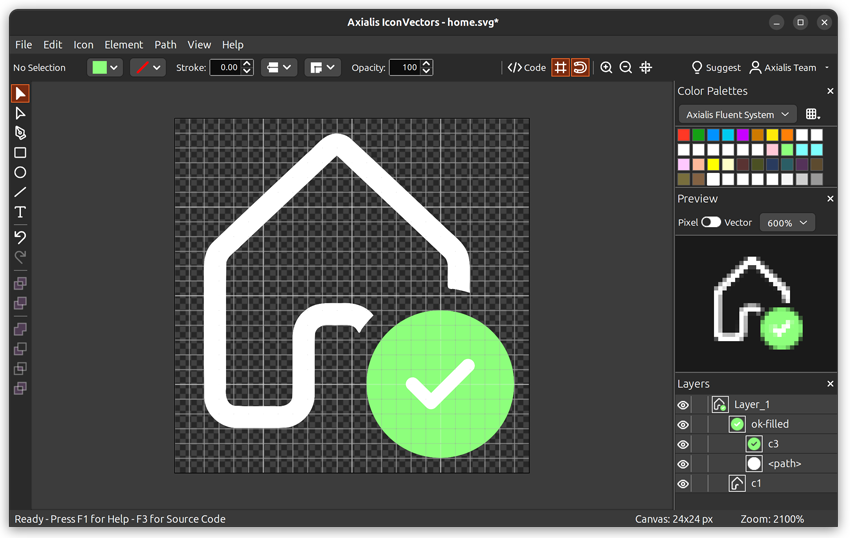
What's new in 1.60 for Linux
- Auto Gradient - Turn a flat fill or stroke into a same-tone linear or radial SVG gradient in one step, then tune gradient type, angle, and strength.
- Dashed and dotted strokes - Apply editable SVG dash presets from the Control Bar or define custom dash patterns. The result stays SVG-native through standard dash attributes.
- Fit Icon to Canvas - Scale the current icon to the available canvas while preserving aspect ratio, centering the result, and keeping stroke widths unchanged.
- Precision zoom workflow - Type exact zoom percentages, use the Set Zoom Level dialog, trigger numpad shortcuts, or drag a canvas area with the Zoom tool to fit and center it.
- Center on Largest - Center selected elements on the largest selected object for faster badge, overlay, and composition alignment.
- MCP, cleanup, and export refinements - Analyze/Clean Up Icon, local MCP automation, preview rendering, palette workflows, and developer code export remain part of the same production workflow.
- Bug fixes - Editing, export, packaging, and automation reliability have been improved.
Linux package notes
The Linux build targets Ubuntu 24.04 LTS or later and is distributed as a DEB package. After installation, the IconVectors application and MCP helper are available from the packaged Linux install, with the helper typically exposed as /usr/bin/IconVectorsMcp.
The same SVG-focused workflow is available on Linux: clean imported or AI-generated icons, inspect geometry, apply focused styling, preview results, and export code or files for development workflows.
How IconVectors 1.60 improves AI-assisted icon editing
IconVectors 1.60 is also an important update for teams using AI-generated SVG icons. AI tools can quickly produce icon concepts, but generated SVG files often still need refinement before they are ready for production.
Common issues include inconsistent strokes, excessive detail, loose canvas bounds, uneven spacing, and SVG artwork that needs cleanup before it can be used reliably in a real interface.
With IconVectors 1.60, the workflow from AI draft to production-ready icon becomes more practical. Auto Gradient helps add controlled visual depth to refined icons. Dashed and dotted strokes provide more styling options for outline and technical icons. Precision zoom makes it easier to inspect geometry and alignment. Fit Icon to Canvas helps prepare clean exports with consistent bounds.
The goal is not just to generate more icons faster. The goal is to turn generated ideas into clean, editable, and export-ready SVG assets that can fit into a real software product.
AI creates the draft. IconVectors helps make it production-ready.
Learn more about cleaning AI-generated SVG icons with IconVectors
From AI draft to production-ready SVG
A practical AI-assisted icon workflow should not stop at generation. A better workflow is to generate a first concept, inspect the SVG, clean the structure, refine the geometry, adjust styling, fit the artwork to the canvas, preview it at real UI sizes, and then export files or code that developers can actually use.
IconVectors keeps that workflow visual and icon-focused. It helps bridge the gap between fast AI exploration and the production details that make an icon work inside real software.
Generate
Start with an AI-generated SVG concept, icon sketch, or imported vector artwork.
Refine
Clean, align, simplify, style, and fit the icon to a consistent canvas.
Export
Prepare cleaner SVG assets, previews, code, and production-ready files for your project.
Start with these pages
- Download IconVectors
- IconVectors feature overview
- Complete changelog
- Using IconVectors with Codex CLI
- Using IconVectors with Claude
- MCP integration reference
Install the new Linux build
Download the DEB package, install it with your package manager, then launch IconVectors. If activation is required, sign in with your Axialis account.